Booking systems for hire businesses, Adelaide

Let customers check the date themselves.

Customers see live availability, pick their dates and pay online. Booked dates block out automatically, and you run it all from one admin view. Built and supported personally in Adelaide.

Call 0418 802 121

01 / The problem

Sound familiar?

“Is it free on the 14th?”

Every booking starts with a message, and you check a notebook, a spreadsheet or your memory before you can answer.

Double bookings

Two people want the same item for the same weekend, and you find out after both have been told yes.

Chasing payments and bonds

Deposits arrive by bank transfer, late or not at all, and you match them up to bookings by hand.

Admin after hours

Confirmations, reminders and returns get done at night, because the day goes on running the business.

02 / Live client work

Our latest
projects 2026.

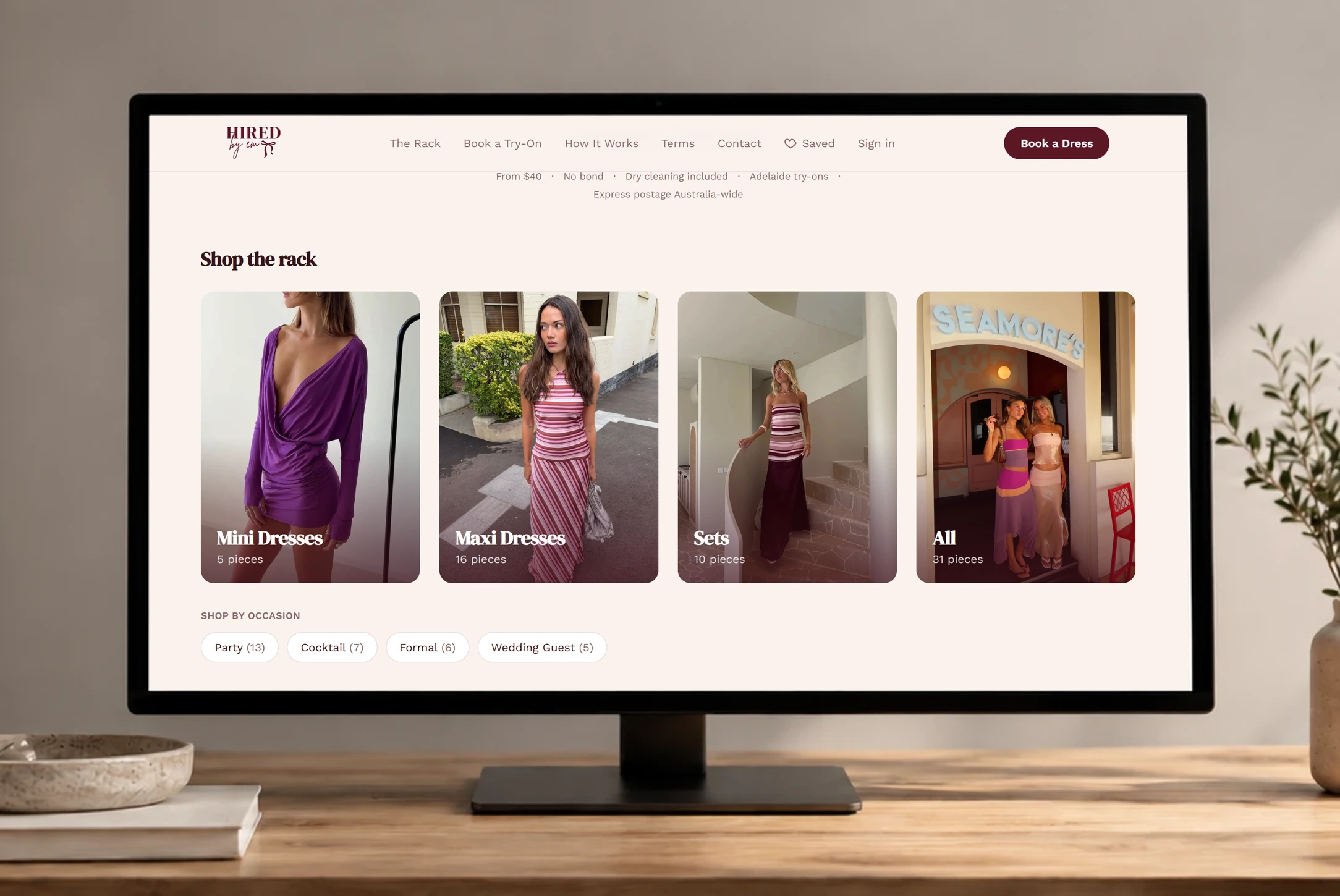
Hired By Em on a desktop monitor, showing the rack of dresses
Hire · Fashion · Adelaide

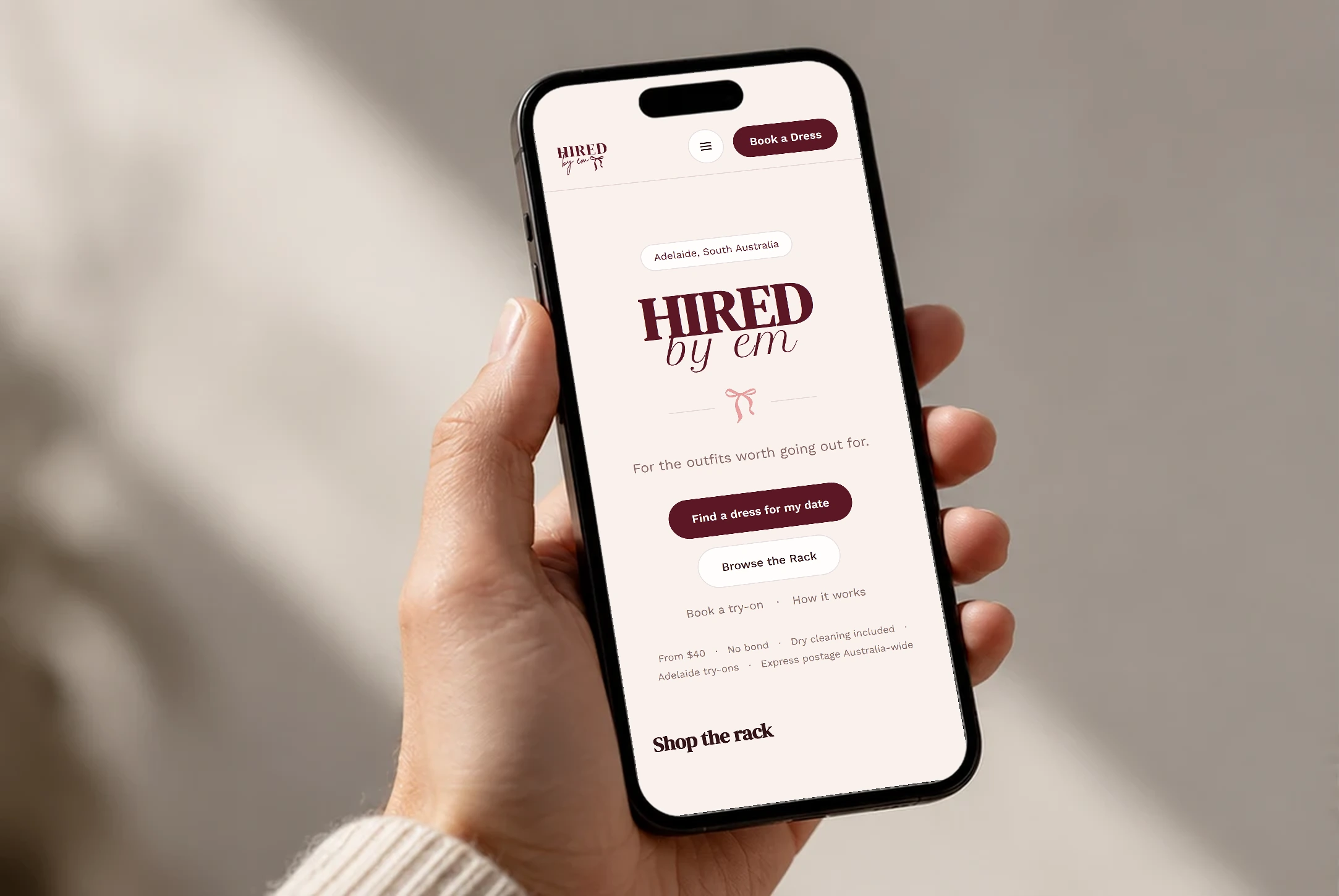
Hired By Em

What was going wrong
Bookings were coming through DMs and messages. Availability was tracked by hand, double-bookings happened, and chasing customers for payment ate hours every week.
What we built
We built a live availability calendar and a guided booking flow that takes payment, saves the card so any late fees or damage can be charged later, reserves the dress, and sends confirmation, with an admin view so Em can manage it all herself.
  • Customers pick a date on a live availability calendar
  • Payment is taken online as part of the booking
  • Each booking blocks its dates automatically
  • Try-on appointments book by time slot
  • Em runs it all from one admin view

Having the website for my business has made managing bookings and appointments much more efficient, and has also dramatically increased my sales.

Emily, Owner, Hired By Em

03 / How it works

From enquiry to confirmed hire, in one flow.

Try it below. This is a demonstration, not a client's live system, and no payment is taken.

  1. 01

    A customer picks their dates

    They see what is free and choose a hire period, without messaging you first.

    Choosing dates

    November

    SMTWTFS
    Free Taken Theirs

  2. 02

    The site checks and takes payment

    The hire is paid online, and the dates are held for them.

    Paying online

    Hire, 4 days (17 Nov to 20 Nov)$85
    Due now$105

    The dates are held and a confirmation is sent

  3. 03

    You get a confirmed booking

    It lands in your admin view with the details filled in, and the dates are blocked for everyone else.

    The owner's view

    • Weekday hire24 Nov to 27 NovTo dispatch
    • Weekend hire10 Nov to 11 NovPaid
    • Weekend hire3 Nov to 5 NovPaid
    • Weekday hire5 Dec to 6 DecPaid

Try it: pick dates, reserve, and watch the owner's view. A demo, no real payment is taken.

Answering availability questions one message at a time
Customers check live availability themselves
Chasing deposits and bonds by bank transfer
Payment taken as part of the booking
Keeping a calendar up to date by hand
Booked dates block out automatically

The result is fewer messages, less chasing and a calendar you can trust.

04 / What you get

Built around how you hire.

Every hire business works a little differently, so the system is scoped around yours. These are the parts most hire businesses need.

  • Live availability on every item, so customers only see dates that are free
  • Hire periods, pick-up, delivery and return options
  • The hire fee, and a bond or deposit if you take one, paid online in one checkout through Stripe
  • Booked dates block out automatically, with time for cleaning or turnaround if you need it
  • Confirmation emails sent the moment a booking is paid
  • Time-slot appointments for fittings, try-ons or pick-ups
  • One admin view for bookings, items and customer details
  • Works properly on a phone, where most customers book

05 / Who it is for

For businesses that hire things out by the date.

  • Dress and formal hire
  • Suit hire
  • Party and marquee hire
  • Furniture and prop hire
  • Photo booth hire
  • Baby gear hire
  • Costume hire
  • Equipment and AV hire

06 / How a project runs

Three steps, and you know where you stand at each one.

How long it takes depends on the project. Your quote includes a timeline, so you know before you commit.

  1. 01

    Understand the business

    We go through how the business runs today, what is creating friction and what should improve. You get a written scope, a price and a timeline, and nothing starts until you say yes.

  2. 02

    Design and build the right solution

    The website or system is built around how you actually work, with clear communication and room to give feedback. You try it yourself before any customer does.

  3. 03

    Launch and support

    It goes live with admin access and a walkthrough for you. I stay on to keep it running and to improve it where that is worth doing.

07 / FAQ

Hire questions.

Show me how you hire today.

Tell me how bookings come in now and what you would like to stop doing by hand. A few lines is plenty, and I reply personally.

Or call 0418 802 121